

Live View — Real Mode
Route: /live · Component: components/pages/LivePage.tsx · Ring pieces: components/devices/ring-live-player.tsx, components/devices/ring-live-tools.tsx
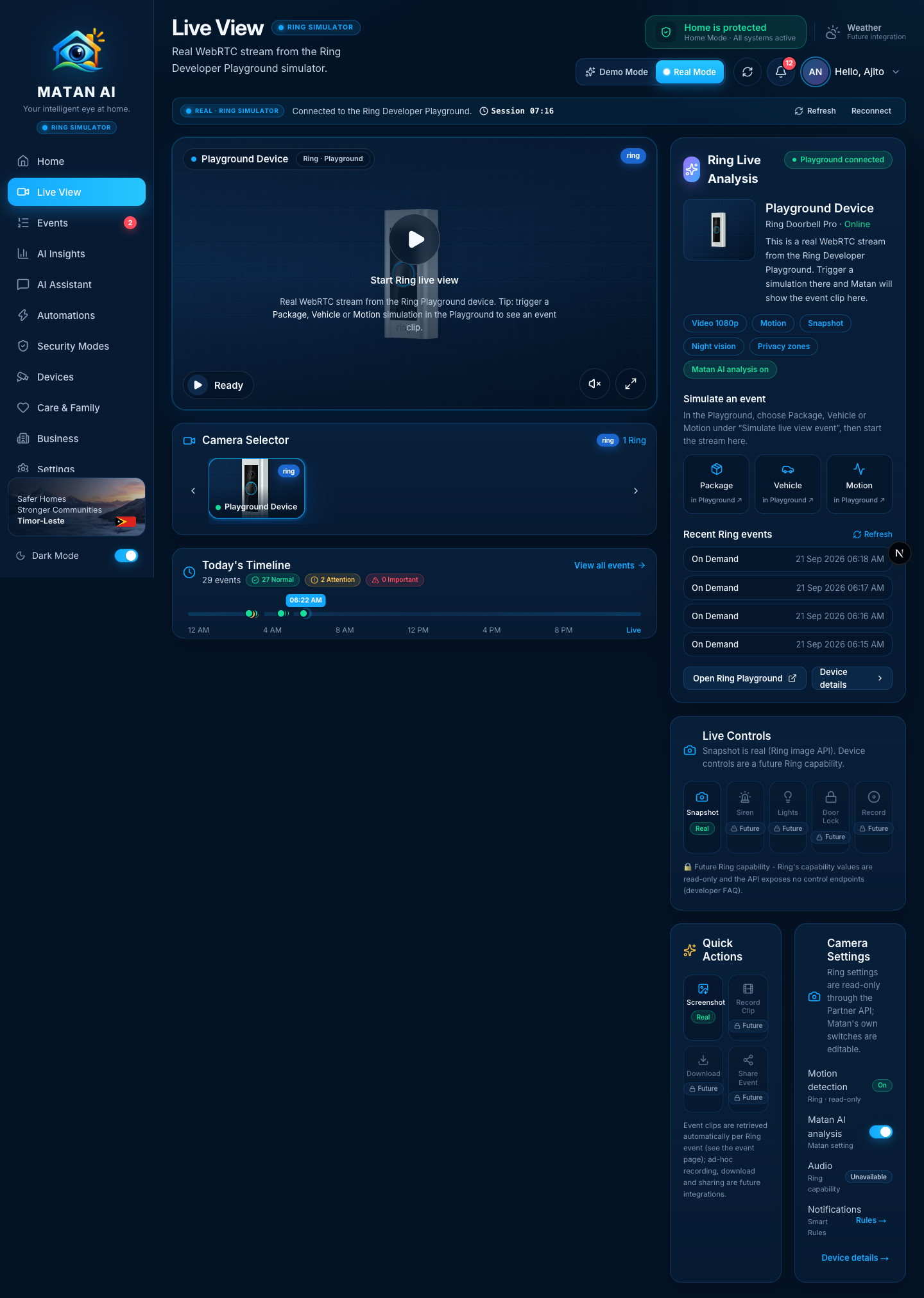
Live View is where the user watches the connected Ring device in real time. In Real Mode the page is driven only by the signed-in user's Ring Playground: the WebRTC stream, the device card, today's timeline and the snapshot / screenshot actions are real, and everything Ring's Partner API does not expose (siren, lights, door lock, ad-hoc recording, download, share) is shown as Future instead of being faked.
How it works
Rendering diagram…- The Ring token never leaves the server: the browser only exchanges SDP with Matan; media flows over WebRTC once the answer is applied.
- The Playground device only holds images for windows where something was streamed or simulated, so Snapshot needs the live view to be running (or a Package / Vehicle / Motion simulation in the last 15 minutes). Otherwise the API answers
404 RING_NO_SNAPSHOTand the page explains what to do. - Snapshot requests are registered with
noteOwnMediaRequest()so the auto-analysis scheduler ignores the shorton_demandhistory entries that Ring records for Matan's own media calls.
Sections and functions
| Area | What it shows / does | Source | State |
|---|---|---|---|
| Header + Real Mode banner | Playground status, token countdown, Refresh, Reconnect | /api/ring/session | ✅ |
| Player | Start Ring live view → WebRTC/WHEP stream (1080p AVC from the Playground); mute, fullscreen; status badge Ready → Connecting… → Live | POST /api/ring/devices/{id}/stream | ✅ |
| Camera Selector | Only the user's connected Ring devices (demo tiles are hidden in Real Mode); ?camera=ring:<id> selects one | /api/ring/devices | ✅ |
| Today's Timeline | Real events of today plotted on a 24 h track with Normal / Attention / Important counts, live "now" marker; View all events | getDataSource("ring").getEvents({ range: "today" }) | ✅ |
| Ring Live Analysis card | Device name, model, online state, capability chips (video, motion, snapshot, night vision, privacy zones), Matan AI analysis on/off, Simulate an event shortcuts (open the Playground), recent Ring events with Refresh, Open Ring Playground, Device details | Ring device discovery + history | ✅ |
| Live Controls → Snapshot | Fresh JPEG from Ring's image API, shown in a viewer with the real capture time | POST /api/ring/devices/{id}/snapshot | ✅ real |
| Live Controls → Siren / Lights / Door Lock / Record | Labelled Future — Ring's capability values are read-only and the Partner API has no control endpoints (developer FAQ) | — | 🔒 future integration |
| Quick Actions → Screenshot | Grabs the current frame of the <video> element into a PNG download (matan-<device>-<ts>.png); enabled only while the stream is live | client canvas | ✅ real |
| Quick Actions → Record Clip / Download / Share Event | Future — event clips are fetched per Ring event by the Matan pipeline (see the event page), not started from here | — | 🔒 future integration |
| Camera Settings → Motion detection | Read-only badge from Ring's device configuration | GET /v1/devices/{id}/configurations | ✅ read-only |
| Camera Settings → Matan AI analysis | Real toggle; turns Matan's automatic analysis on/off for this device | PATCH /api/ring/devices/{id} (aiEnabled) | ✅ |
| Camera Settings → Audio | Capability badge (the Playground device reports no audio) | GET /v1/devices/{id}/capabilities | ✅ read-only |
| Camera Settings → Notifications | Link to Settings → Care & Rules (Smart Rules decide what is emailed) | — | ✅ |
Snapshot (real)
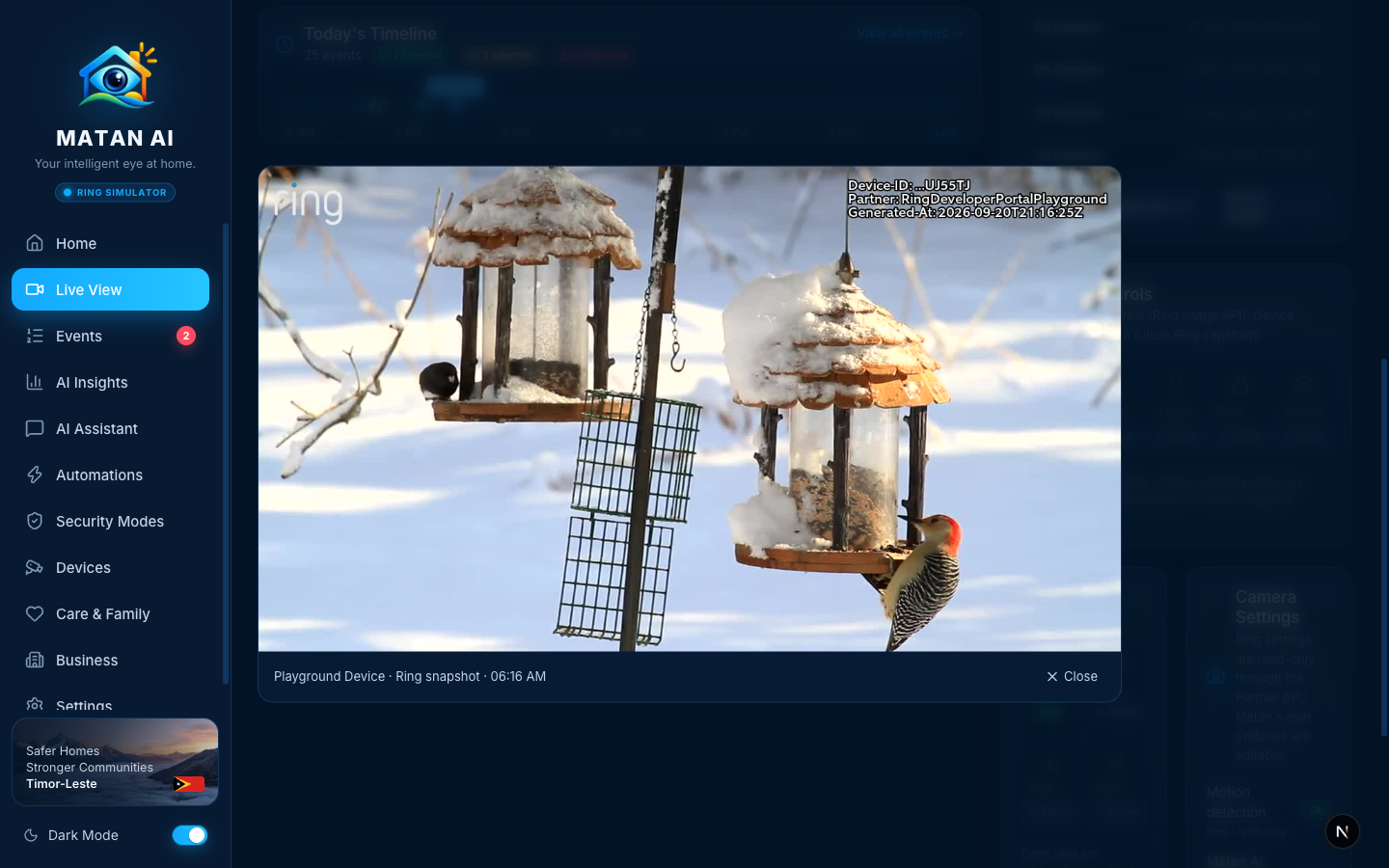
The viewer shows the frame Ring returned (the Playground watermarks it with its own device id and generation time) and the capture time from X-Media-Captured-At. Failure cases are reported honestly: No snapshot when Ring has no image yet, Session expired when the Playground token lapsed (the banner offers Reconnect).
Screenshot (real)
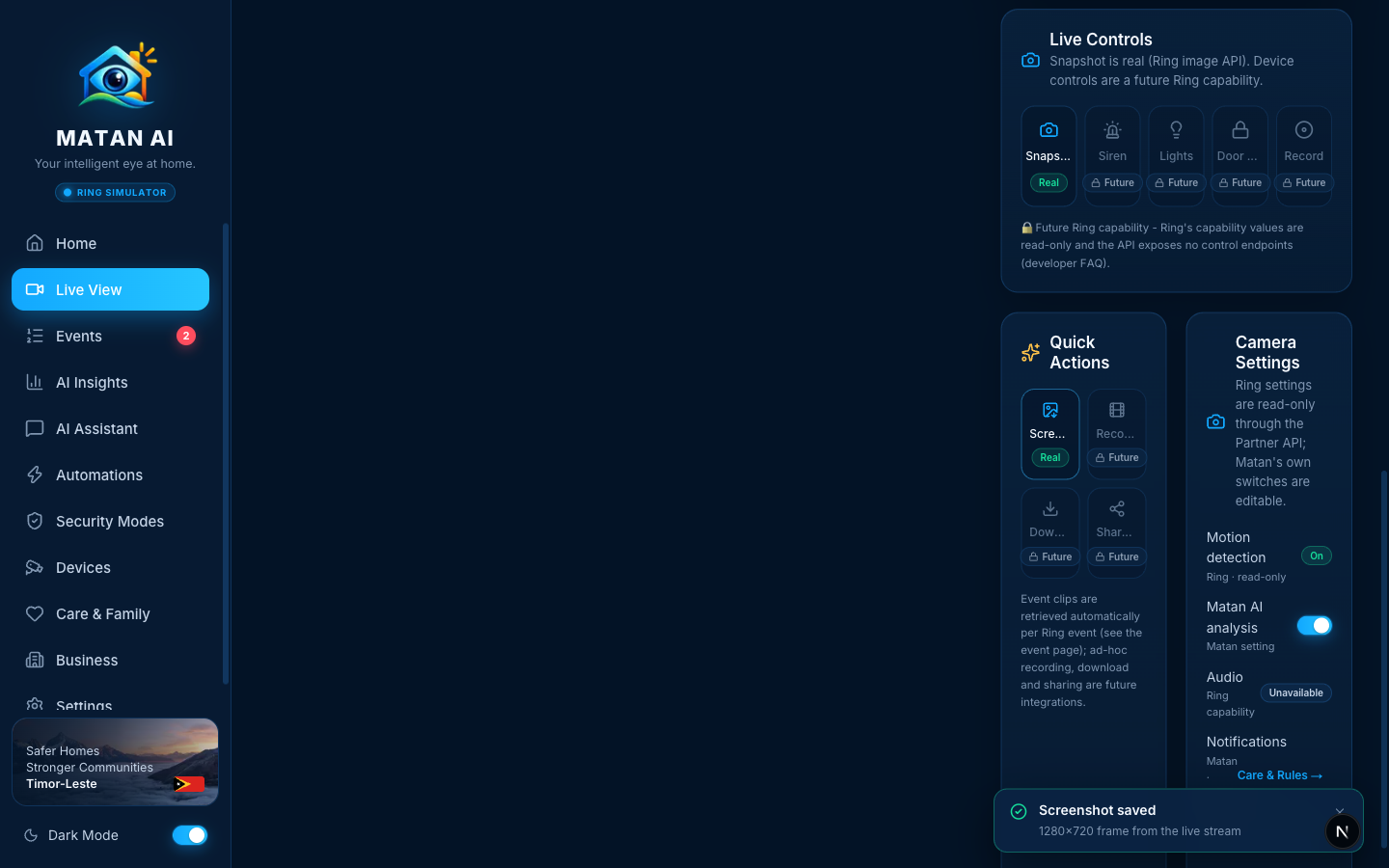
Screenshot does not call Ring: it draws the live <video> frame onto a canvas and downloads it as PNG (1280×720 from the Playground stream). It is disabled until the stream is live.
Future integrations shown on this page
- Siren, Lights, Door Lock, Record — no device-control endpoints exist in the Ring API today.
- Record Clip, Download, Share Event — ad-hoc recording/sharing is not exposed; Matan already fetches the clip of every Ring event automatically.
- Ring settings (motion detection etc.) — readable, not writable.
- Weather chip (top bar) — no weather provider connected.
Changes made during the Real Mode audit
- Real Mode no longer mixes demo cameras into the selector, the timeline or the "now" marker; today's timeline is built from the user's real Ring events with a real clock.
- New
POST /api/ring/devices/{id}/snapshotroute (server-side token, 30 s → 15 min → point-in-time fallback, capture time header, own-footprint note for auto-analysis). - Live Controls, Quick Actions and Camera Settings replaced the demo mock panels with
RingLiveControls,RingQuickActions,RingCameraSettingsandSnapshotViewer: real Snapshot, real Screenshot, real Matan AI toggle, read-only Ring configuration, everything else marked Future with the reason. - Labels fit the side column (wrapping instead of truncating).
Verified
- 2026-09-21, signed-in Real Mode session: stream connected (WebRTC 1280×720), Snapshot →
200 image/jpegwith capture time shown in the viewer; Screenshot → PNG download (1.18 MB) + toast; without a live stream Snapshot returns404 RING_NO_SNAPSHOTwith the "start the live view first" hint; timeline 29 real events (27 normal · 2 attention).